If there was only one digital safety rule to remember, it would be this: your email is the one account you cannot afford to lose.
Email is the key to almost everything you use online: password resets, bank alerts, delivery updates, receipts, subscriptions, work messages, family messages, and access to dozens of other accounts.
That is exactly why scammers care about it so much.
Email scams, also known as phishing, are no longer just random “you won a prize” messages. Many of them look way too familiar.
And if your email address, password, or personal details have already appeared in a data leak, those messages can cause real damage.
That’s why protecting your email in 2026 is about building a few layers of protection around your inbox:
- knowing if your email was exposed;
- using strong, unique passwords;
- turning on two-factor authentication;
- getting help when something looks wrong.
Let’s review four best services that help protect your email from scams, so you don’t have to do it manually.
Table of Contents
Quick Comparison
| Service | Best for | How it protects your email | Main strength | Main limitation |
| Futureproof | Users who want leak alerts and clear next steps | Monitors your email for data leaks and helps with clear action plan | Human support and simple guidance | Not a full identity theft product |
| Gmail + Google Account | Gmail users who want built-in scam warnings | Flags suspicious emails, checks saved passwords, and supports stronger sign-in | Already built into Google accounts | Mostly self-serve |
| Microsoft Defender for Individuals | Outlook and Microsoft 365 users who want broader identity monitoring | Monitors identity details and dark web exposure, with recovery support in some plans | Good fit for Microsoft users | Some features depend on location and plan |
| Apple iCloud+ | Apple users who want to share their real email less often | Creates random email addresses that forward to your inbox | Reduces exposure of your main email | Works best inside the Apple ecosystem |
Futureproof: Best for Resolving Data Leaks Linked to Your Email
Most email scams start even before the message lands in your inbox.
Scammers may connect your address to your name, phone number, or an account you used years ago.
That does not always mean your email account is hacked. But it does mean you should pay attention.
Futureproof is built for that moment.
What Futureproof Does
A lot of tools can tell you that your email appeared in a leak, but it does not answer the harder question:
What should I do now?
Futureproof focuses on making those next steps clearer.
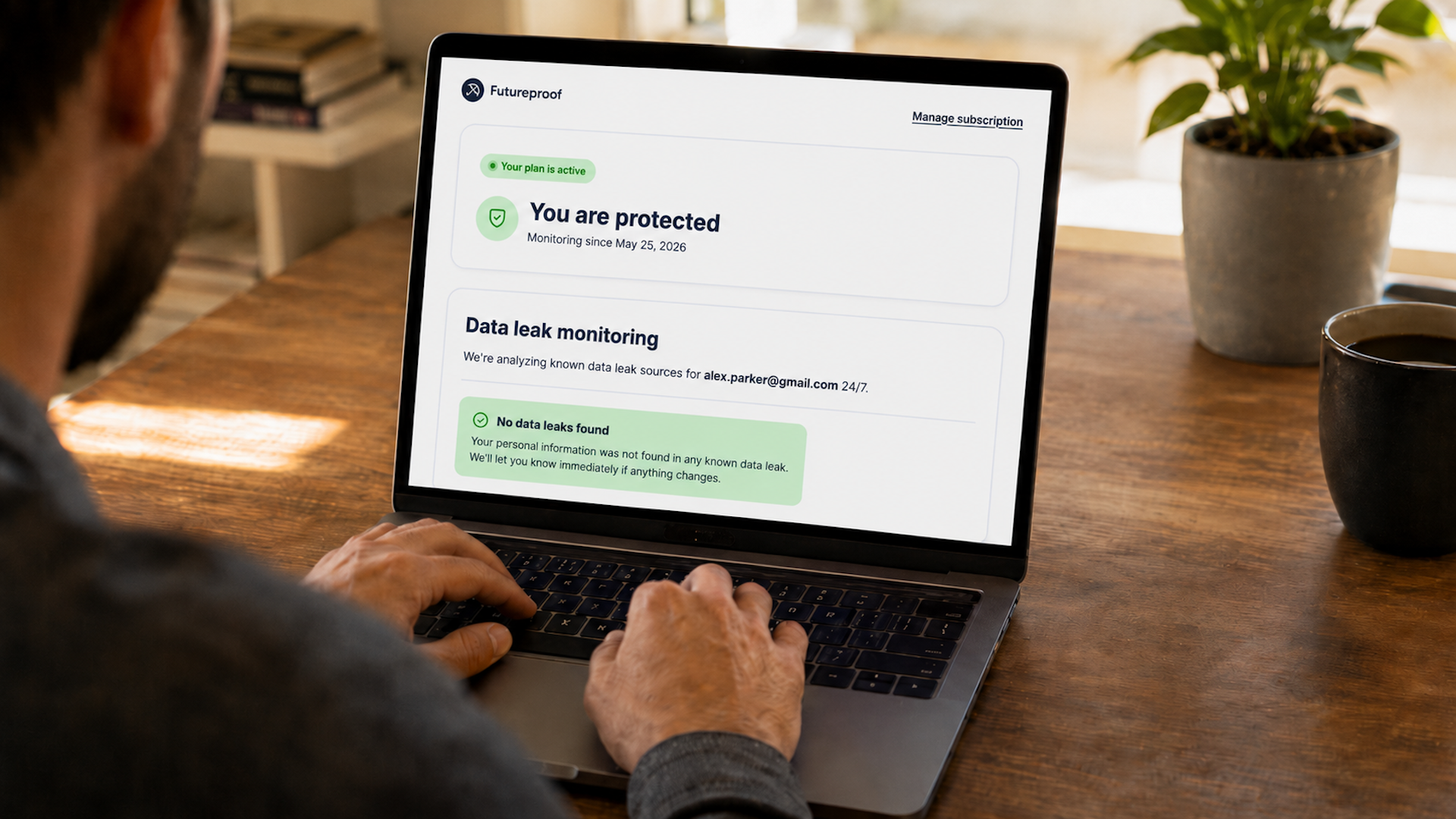
It monitors email accounts for data leaks 24/7 and sends alerts when your information may be exposed.
But the stronger part is the support users get around the alert. You can contact a security specialist anytime and get practical help understanding what happened in plain English.
That matters because most regular users do not want a technical report. They want to know what to fix first.
Why Futureproof Helps Against Email Scams
When scammers know your email address or old login details, they can make fake messages look more believable.
A scam email may pretend to be:
- a password reset;
- a delivery update;
- a bank or payment warning;
- an account security alert;
- a subscription renewal;
- a message from a service you actually used.
Futureproof helps because it gives you context. If you know your email appeared in a leak, you can learn how to be more careful with sudden password resets, fake warnings, or urgent payment messages.
You also get guidance on how to change weak or reused passwords, set up two-factor authentication, check recent login activity, and watch for suspicious emails that may follow the leak.
Extra Protection Layer: Browser Permission Control
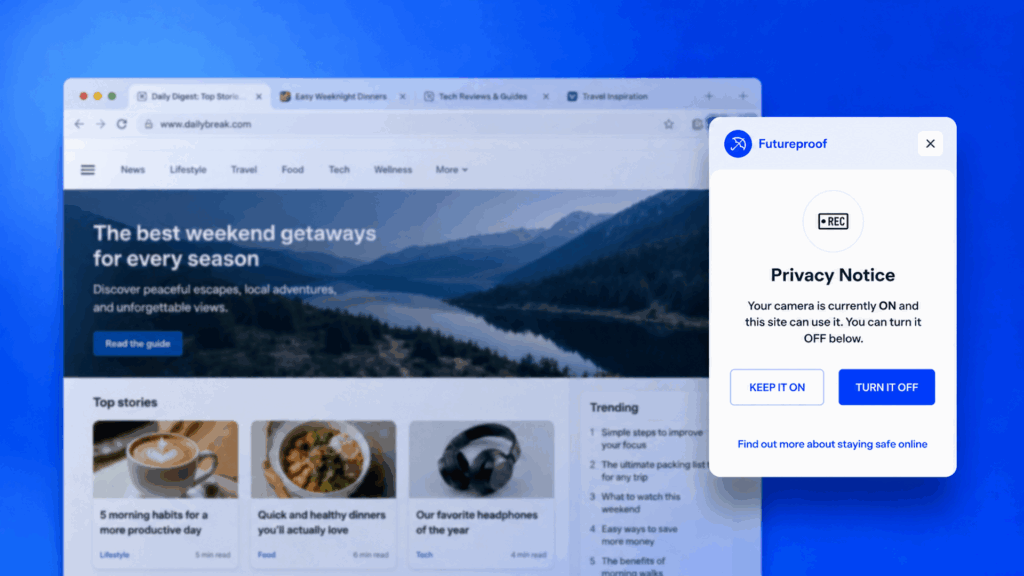
Futureproof also has a free Chrome extension that helps users manage website permissions.
This is useful because scams do not only happen inside the inbox. Some scam pages ask for notification access, location access, or other permissions that users may allow without thinking.
The extension helps you see and instantly block access to:
- camera
- microphone
- exact location
- notifications
That makes Futureproof more than a simple email leak checker. It helps with the wider browsing habits that often sit around email scams.
Overall, Futureproof is best for people who want email leak monitoring, clear alerts, human support, and practical next steps without having to figure everything out alone.
Gmail + Google Account: Best Built-In Protection for Gmail Users
If you use Gmail, you already have some protection working in the background.
Google can warn users about suspicious emails, move phishing attempts to spam, and offer extra protection through Safe Browsing settings. Google Password Manager can also check saved passwords and alert you if it finds compromised passwords.
This makes Gmail and Google Account tools useful as a first line of defense.
The Protection You Already Have
Gmail is good at catching many obvious scam emails before you even see them.
It may warn you when an email looks suspicious or move it to spam. Google also tells users not to enter passwords after clicking email links. Instead, the safer move is to go directly to the real website or app.
That advice sounds basic, but it prevents one of the most common scam patterns: a fake email pushing you to a fake login page.
Google Password Manager adds another layer by checking saved passwords for security issues. If it finds that a saved password may have been compromised, Google can alert you and help you change it.
Where It Works Well
Google’s biggest advantage is convenience.
You do not have to install a separate service to get basic warnings, password checks, and account security tools. If you use Gmail and Chrome, a lot of this already sits inside the products you use every day.
It is useful for:
- spotting suspicious emails;
- checking saved passwords;
- turning on two-step verification;
- reviewing account security settings;
- using passkeys where available.
Where It’s Not The Best Choice
Google tools are powerful, but they are still mostly self-serve.
If you get a scary leak alert or a suspicious login attempt, Google may show you warnings and help pages, but it will not walk you through the situation like a personal security specialist.
That is the difference between a built-in security layer and a guided safety service.
In general, Gmail and Google Account tools are best for Gmail users who want basic scam filtering, password checks, and stronger sign-in settings inside the tools they already use.
Microsoft Defender: Best for Microsoft and Outlook Users
Microsoft Defender for Individuals is a good fit for people who already use Microsoft 365, Outlook, Windows devices, or Microsoft accounts.
This service can monitor personal information for exposure on the internet and dark web. Depending on the user’s location and plan, it can also include identity theft monitoring, credit monitoring, restoration support, and insurance coverage.
This makes it more useful when your concern goes beyond one scam email.
For example, if your email exposure is connected to your phone number, address, or other identity details, you may want a tool that watches for wider identity risks.
Where It Helps With Scam Risk
Microsoft Defender is strong when you want email safety as part of a larger personal security setup.
It can help users watch for signs that personal information has been exposed, while Microsoft account security tools can help with stronger sign-in options and account protection.
For Outlook users, this can feel more natural than using a separate privacy product for every part of the problem.
What to Check First
The important thing with Microsoft Defender is availability.
Some identity theft monitoring features depend on country, subscription, and eligibility. So before choosing it for email scam protection, check whether the features you care about are actually available in your region and plan.
In short, Microsoft Defender is best for Microsoft 365 or Outlook users who want broader identity monitoring and recovery support around their account safety.
Apple iCloud+: Best for Sharing Your Real Email Less Often
Apple iCloud+ helps with a different side of email scam protection: reducing exposure.
The less often you share your real email address, the fewer places it can be collected, sold, leaked, or targeted.
That is where Hide My Email becomes useful.
A Simple Way to Use Email Aliases
With iCloud+, Apple lets users create unique, random email addresses that forward to their real inbox.
So instead of giving your main email to every store, newsletter, app, or one-time signup, you can use a separate address. If that address starts receiving spam or looks unsafe later, you can manage it without exposing your main email everywhere.
This is especially useful for accounts you do not fully trust or do not expect to use often.
The Password Side
Apple’s password tools can also flag weak, reused, or compromised passwords saved on your devices.
That matters because email scams often become more dangerous when it comes to password reuse. If the same password was used on several sites, one old breach can put more of your accounts at risk.
Where It Works Best
Apple’s privacy tools are easiest to use if you already live inside the Apple ecosystem: iPhone, Mac, Safari, iCloud Mail, and iCloud+.
If you are an Apple user, Hide My Email can become a simple habit: you can use your real email only for trusted accounts, and use aliases for everything else.
So Apple iCloud+ is best for Apple users who want to share their real email address less often and reduce the number of places where it can be exposed.
Don’t Wait Until a Scam Looks Real
Your email is too important to protect only after something goes wrong.
Gmail, Microsoft Defender, and Apple iCloud+ can help build useful protection around your inbox.
But Futureproof is the most practical first step if you want to know when your email appears in a data leak and get clear help with what to do next.
That is what regular internet users need most in 2026. Not more panic, but a clearer way to protect the account everything else depends on. Make sure you take this first step earlier than later.

At Futureproof, Kevin explains digital safety in simple words, with clear tips and zero fluff. He holds a degree in information technology and studies fraud trends to keep his tips up-to-date.
In his free time, Kevin plays with his cat, enjoys board-game nights, and hunts for New York’s best cinnamon rolls.