Fake Apple Pay alerts are pushing users to call scam support numbers. Learn how this email-to-phone scam works, the warning signs, and what to do if you get these messages or calls.
Table of Contents
Apple Pay is built for convenience and trust — which is exactly why scammers are targeting it.
A new phishing campaign combines fake emails with phone calls to trick people into handing over Apple ID details and verification codes.
The messages look official. The problem sounds urgent. And the phone call feels reassuring.
That’s the trap.
Instead of stealing information through links, this scam moves the conversation to the phone, where pressure and authority are harder to question.
This guide explains what the scam looks like, why it’s dangerous, and the simple checks that stop it.
What This Apple Pay Scam Looks Like
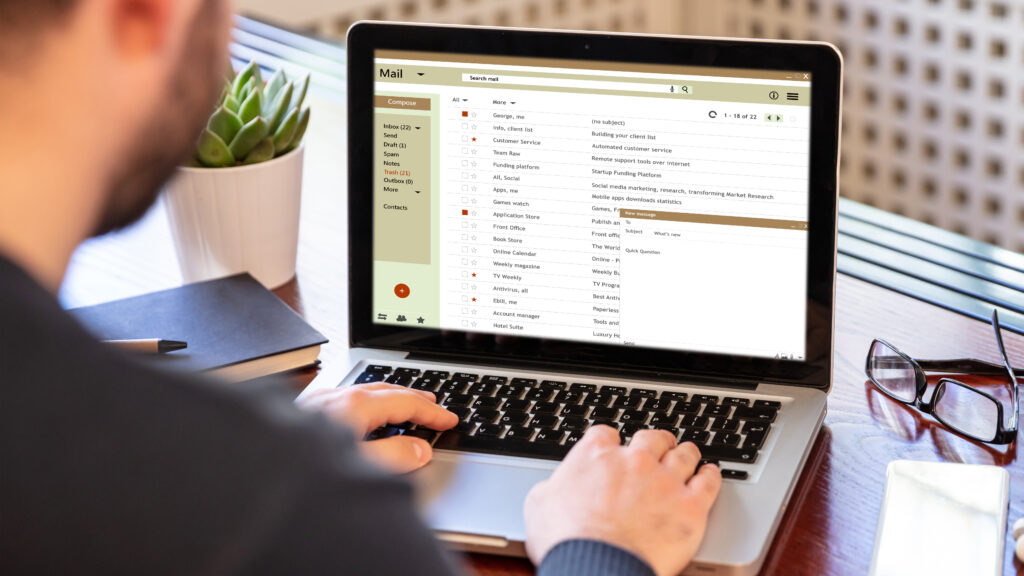
The scam usually starts with an email that appears to come from Apple Pay or Apple Support.
The message claims:
- A suspicious or blocked Apple Pay transaction was detected
- Your account may be temporarily restricted
- Immediate action is required to “secure” your account
To fix the issue, the email urges you to call a support phone number right away.
At first glance, the branding looks familiar, and the warning sounds reasonable, especially if you use Apple Pay regularly. But that familiarity is exactly what the scam relies on to lower suspicion and prompt quick action.
Reports on Apple’s official support forums show hundreds — and in some threads, thousands — of users describing nearly identical Apple Pay–style phishing messages. These emails often claim an unauthorized charge and include a phone number that connects victims to scammers posing as Apple support.
While federal agencies do not publish Apple Pay–specific scam totals, the volume and consistency of these reports suggest this scam is widespread, active, and ongoing.
How the Scam Moves From Email to Phone (And Why That’s Dangerous)
The email is only the first step.
Once you call the number, the scam turns into vishing (voice phishing, where scammers use phone calls rather than links or attachments to steal personal information).
The person on the line pretends to be Apple support and calmly walks you through a “security check.”
During the call, the scammer may ask you to provide:
- your Apple ID email
- one-time verification codes sent to your device
- payment or card details
- confirmation of recent transactions
Phone calls feel more personal and legitimate than emails. Scammers use that trust — and a sense of urgency — to push people into sharing information they normally wouldn’t.
Once you share verification codes or login details, criminals can take over your account within minutes.
This is why real Apple security does not rely on surprise calls or urgent phone-based “verification.”
It’s also worth noting that Apple actively fights fraud at scale. In 2024, Apple reported stopping over $2 billion in potentially fraudulent transactions across its ecosystem, including payment-related fraud.
5 Red Flags That Reveal the Scam Fast
Even well-designed scam messages leave clear clues once you know what to look for.
Watch for these warning signs:
- Wrong sender domain
Scammers display “Apple Support” as the sender name, but they send the email from a random or misspelled domain — not @apple.com.
- Fake charge alert
Scammers invent fake charges or “blocked” Apple Pay transactions to trigger panic, even if you haven’t used Apple Pay recently.
- Call-this-number request
The email urges you to call a phone number to “fix” the problem. Apple does not ask users to call support from an email.
- Urgent language
Scammers use phrases like “immediate action required,” “account restricted,” or “failure to respond may result in suspension” to rush decisions.
- Account access demand
Scammers ask for one-time verification codes, Apple ID passwords, or payment details. Real Apple support will never request these through emails or phone calls.
The biggest red flag: Apple does not resolve fraud issues by sending unsolicited emails that tell you to call a number.
What to Do If You Get One of These Emails
If you receive a suspicious Apple Pay alert, take these steps right away:
- Do not call the phone number
Scammers answer these calls and pose as Apple support to gain your trust. Once on the phone, they use calm, professional language to push you into sharing sensitive information.
- Do not reply or click anything in the message
Avoid clicking links, downloading attachments, or using reply buttons in the email. Even simple actions can confirm your email address or lead you to fake support pages designed to steal your information.
- Check Apple Pay activity directly on your device
Open the Wallet app on your iPhone, tap your card, and review recent transactions. If you prefer, open a browser yourself and sign in at appleid.apple.com — never use links from the message.
- Report the message to Apple
Forward suspicious emails to reportphishing@apple.com, Apple’s official phishing-report address. This helps Apple investigate and protect other users.
- Delete the email or message
Once you’ve reported it, delete the message from your inbox. Removing it reduces the risk of accidentally clicking it later, especially when you’re distracted or in a hurry.
What If You Already Called or Shared Information?
If you already called the number or shared information, act quickly — but don’t panic. Taking the right steps now can limit damage.
- Change your Apple ID password immediately
Sign in directly at appleid.apple.com using your own browser and update your password.
- Review your Apple account security settings
Check trusted devices, phone numbers, and recent sign-in activity. Remove anything you don’t recognize.
- Contact your bank or card issuer right away
If you discussed payment details or confirmed transactions, ask them to monitor your account or issue a new card.
- Watch for follow-up scam messages
Scammers often try again after initial contact, using emails or calls that reference the first interaction.Sharing information doesn’t mean you’ve lost control — but acting fast matters. The sooner you secure your account, the more likely you are to stop further misuse.
Futureproof spots digital risks early by monitoring for data leaks and showing what needs fixing. Get started today to stay protected all year long.
Key Takeaway: Urgency and Trust in Famous Brands Make Scams Feel Legitimate
Apple Pay scams succeed because scammers exploit trust in Apple’s brand.
By using familiar language and official-looking alerts, they lower suspicion and push people to act quickly. Moving the scam from email to a phone call makes it feel even more legitimate — and urgency does the rest.
The best defense isn’t technical skill. It’s knowing how real companies operate. Apple doesn’t fix fraud through surprise emails, rushed calls, or requests for verification codes. When a message pressures you to act fast, that pressure is the warning sign.
Slow down and verify activity directly on your device or Apple’s official website. Once you stop trusting the message and start checking on your own, the scam loses its power.

At Futureproof, Kevin makes online safety feel human with clear steps, real examples, and zero fluff. He holds a degree in information technology and studies fraud trends to keep his tips up-to-date.
In his free time, Kevin plays with his cat, enjoys board-game nights, and hunts for New York’s best cinnamon rolls.