Finding out your information has leaked is only half the problem. The real question is: now what? Who actually helps you fix it, not just tell you about it?
Some services stop at the alert. Others walk you through the fix, remove your exposed data, or put a real person on the case until it’s resolved.
Here are three professional services worth knowing to make your digital life safer, each solving a different piece of the puzzle.
Table of Contents
What “Resolving a Data Leak” Actually Means
Before comparing services, it is important to be clear about one thing: resolving a data leak does not always mean deleting the leaked data.
In real life, it usually means:
- finding out what information was exposed;
- understanding which accounts may be affected;
- changing weak or reused passwords;
- turning on two-factor authentication;
- removing risky access where possible;
- watching for scam messages after the leak;
- getting help if the leak turns into fraud or identity theft;
- cleaning up exposed personal information where removal is possible.
That is why support matters so much in situations like these. A data leak alert is useful, but only if the user knows what to do after seeing it.
Quick Comparison: Best Services for Data Leak Recovery
| Service | Best for | How it helps after a leak | Human support | Main strength | Main limitation |
| Futureproof | Simple leak resolution with fast support | Lets users resolve leak issues in the dashboard and contact support for next steps | Yes | Clear guidance, 15-minute email response, several contact options | Not a full credit monitoring or identity restoration suite |
| Bitdefender Digital Identity Protection | Dashboard-based remediation | Shows exposed data and recommended actions users can mark as done | Support available through Bitdefender | Strong dashboard for exposure and remediation steps | Does not remove data from the dark web |
| Malwarebytes Identity Theft Protection | Leak alerts that may turn into identity risk | Sends breach and dark web alerts, plus identity recovery features depending on plan | Yes, depending on package | Combines leak alerts with identity recovery support | Broader than a simple leak-resolution tool |
Futureproof: Best for Simple Data Leak Resolution and Fast Support
Futureproof is built for the moment when users don’t want technical explanations after a leak alert. They want to know what happened and what to do next.
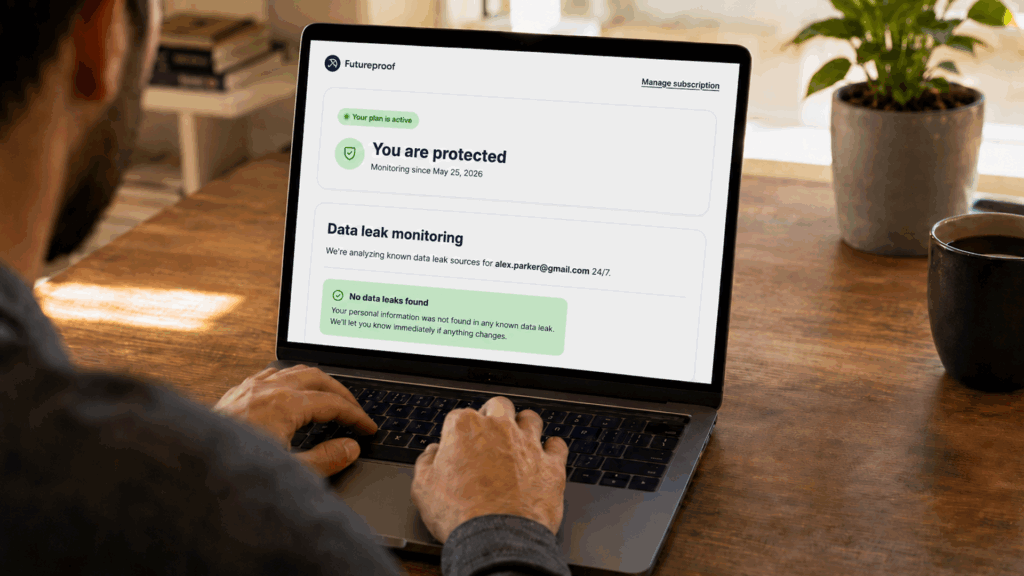
Futureproof monitors email accounts for data leaks 24/7 and alerts users when their information may be exposed. But the more important part is what happens after the alert.
Users can resolve data leaks directly in the Dashboard or contact support if they need help understanding the next step.
Where Futureproof Support Really Helps
Some data leak situations are simple. Others are not.
For example, a user may not understand which account is affected. They may also receive suspicious emails after the leak or worry that someone is trying to access their financial accounts.
This is where Futureproof’s support becomes important.
Users can contact support in several ways, depending on what feels best at the moment:
- call support
- send an email
- request a callback
- send a message through a short form
This flexibility matters because people react differently when something feels wrong online. Some want to call right away. Others prefer to write everything down. Some just want someone to explain the next step calmly.
Futureproof also states that email support replies within 15 minutes, which makes it one of the clearer support promises.
Where Futureproof Stops Short
Futureproof is not a full identity theft protection suite.
It does not replace deep credit monitoring, legal identity restoration, or full financial fraud recovery. If a data leak has already turned into identity theft, you may need a broader identity protection service.
But for everyday leak protection and resolution, Futureproof is a strong point because it focuses on the part many people struggle with most: knowing what to do next.
Bitdefender Digital Identity Protection: Best for Dashboard-Based Leak Cleanup
Bitdefender Digital Identity Protection is useful for people who want to see exposed personal data in one place and follow clear cleanup steps.
It monitors the public web and dark web for exposed personal information, shows what was found, and gives recommended actions inside the dashboard. That makes it more useful than a basic “was I leaked?” checker because it helps users understand what needs attention next.
What Bitdefender Does Well
Bitdefender’s dashboard can show where your personal information appears, what kind of exposure was found, and which actions still need to be completed.
This is helpful because data leak alerts can feel vague. A dashboard turns the problem into a clearer list of things to review, fix, or mark as done.
For example, if an account appears in a breach, Bitdefender may guide you to secure that account, change the password, or reduce your exposure.
What to Know Before Using It
Bitdefender states that it cannot erase information from the dark web. That is important because no tool can fully remove every copy of leaked data once it has spread.
Its value is in showing what was exposed and helping users work through cleanup steps, not deleting leaked information from every place online.
Malwarebytes Identity Theft Protection: Best When a Leak Could Turn Into Identity Theft
Malwarebytes Identity Theft Protection is useful when a data leak may involve more than just an exposed email address.
If leaked data includes identity details, financial information, or login credentials, the problem can become bigger than simply changing one password. That is where Malwarebytes’ identity protection features become more relevant.
What It Does Well
Malwarebytes includes dark web and breach alerts for identity and credential information. It scans sources such as dark web sites, black market chat rooms, blogs, and other data sources where personal information may be traded or sold.
That kind of monitoring can help users notice exposure before it turns into visible account damage.
Depending on the plan and location, Malwarebytes Identity Theft Protection may also include identity recovery, credit protection, and identity theft insurance.
What to Know Before Using It
Malwarebytes may feel broader than necessary if your only issue is just a data leak.
It works better for users who want leak alerts as part of a wider identity protection setup, especially if they are worried about fraud, credit issues, or stolen identity details.
The Best Service Is the One That Helps You Move Fast
After a data leak, the worst place to be is stuck.
Because waiting too long gives the problem more time to spread: old passwords stay active, scam messages get more convincing, and exposed details can be used in ways you may not notice right away.
That is why the best service is the one that explains what happened and helps you resolve a data leak.
Futureproof is useful for people who want a clear, simple way to handle leak issues inside the dashboard and get help from support when they are unsure what to fix first.
Bitdefender is better for users who want a more structured view of exposed data.
Malwarebytes makes more sense when the leak may involve identity theft, fraud, or credit-related damage.
Ultimately, a leak alert should not leave you with more questions than answers. The right tool should make the next step obvious.

At Futureproof, Kevin explains digital safety in simple words, with clear tips and zero fluff. He holds a degree in information technology and studies fraud trends to keep his tips up-to-date.
In his free time, Kevin plays with his cat, enjoys board-game nights, and hunts for New York’s best cinnamon rolls.