Popular apps like Facebook, TikTok, and Google collect more personal data than many users realize. Here’s what was found, how tracking works, and what it means for your privacy today.
Table of Contents
Did you know that many popular apps collect far more personal data than most users expect?
What makes this more serious is that turning off tracking doesn’t always work. Several companies kept collecting data after users tried to limit it — and some faced lawsuits and fines because of it.
This is not one app or one mistake. It is a common practice across many apps.
This guide shows what popular apps collect, how they track you, and how to limit what they know.
What Data These Apps Collect
Each app focuses on different types of information based on how you use it.
Here’s what some of the most common apps track:
- Facebook and Instagram (Meta apps) track what you like, share, and click. They also collect data about your activity outside the app, including websites you visit and ads you interact with.
- TikTok tracks what you watch, how long you watch it, and what you engage with. In some cases, it can also collect facial and voice data.
- Google tracks your searches, location history, YouTube activity, and browsing behavior across its services like Chrome and Maps.
- Amazon tracks what you search for and buy. If you use Alexa devices, it may also store voice recordings.
- Uber tracks your location, trips, and travel patterns. It can also collect data about your device and how you use the app.
- X tracks what you view, interact with, and post. It also collects device and usage data to personalize your feed.
- LinkedIn tracks your professional activity, job searches, connections, and interactions both on and off the platform.
- Snapchat tracks your location (if allowed), app activity, and uses facial recognition features for filters and other tools.
How Apps Track You — and Why It Keeps Happening
It usually starts with a simple step: you install an app and tap “Allow.”
That one tap gives the app access to your location, contacts, microphone, or camera. From that moment, the app starts collecting data in the background — every time you open it, and sometimes when you don’t.
Over time, apps combine all of this into a profile about you. Where you go, what you buy, what you scroll past at midnight. Companies use that profile to show you targeted ads and keep you hooked on the app longer.
Most apps do have privacy controls — but they are often hard to find or turned on by default.
And it doesn’t stop with apps. One click on “Accept All” in your browser, and the same thing starts happening there — tracking systems build a profile and follow you across every site you visit.
Futureproof keeps your data safer with simple guidance to set a strong password, turn on 2-step verification, and lock down your account.
Check my safetyHow to Block Unwanted Access With the Futureproof Browser Extension
The Futureproof browser extension is a simple tool that shows you when a site is using your camera, microphone, location, or sending notifications — and lets you turn that access off in one click.
Instead of digging through browser settings, you can now block tracking instantly, right from your screen. It runs quietly in the background and stops unwanted access before it turns into spam, scams, or privacy risks.
What This Case Means for Your Privacy and Safety
The data these apps collect can reveal more than you think. Put it all together, and someone has a detailed picture of your life.
If this data is exposed or shared with the wrong people, it can be used for scams, identity theft, or targeted attacks. And this is not rare — about 30% of data breach victims later face identity theft.
Even large, trusted companies have had data breaches. Once your data is collected, you no longer fully control where it ends up or who can access it.
5 Simple Steps to Limit What Apps Know About You
You don’t need to delete every app — but you should control what you share.
1. Check app permissions
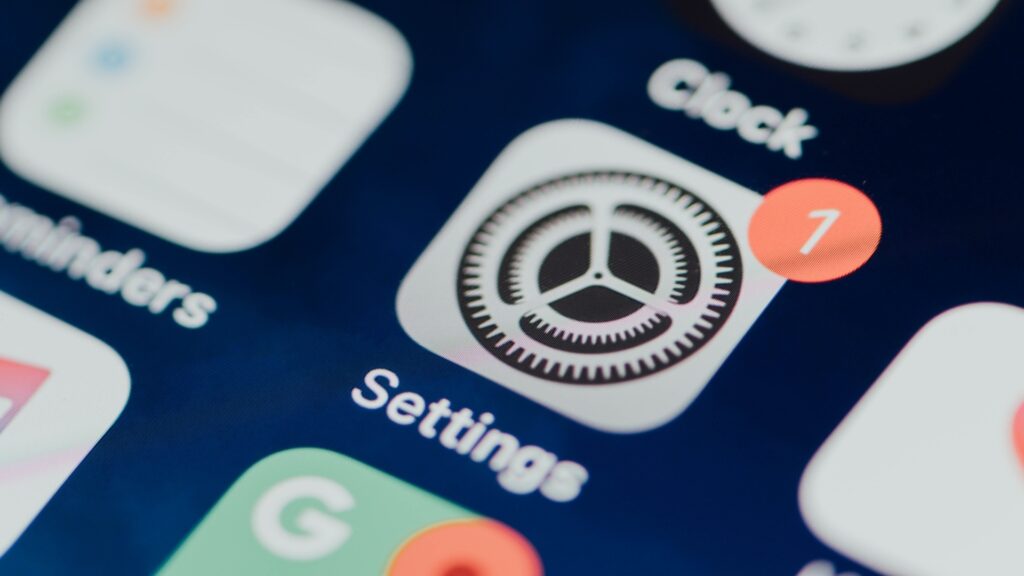
- iPhone: Go to Settings → Privacy & Security. Tap Camera, Microphone, or Contacts. Turn off access for any app you don’t trust.
- Android: Go to Settings → Privacy → Permission Manager. Tap a permission, then remove access for apps that don’t need it.
2. Limit location tracking
- iPhone: Go to Settings → Privacy & Security → Location Services. Tap each app and select “While Using the App.” Avoid “Always” unless you really need it (like maps).
- Android: Go to Settings → Location → App Location Permissions. Set apps to “Allow only while using the app.” Remove access for apps that don’t need location.
3. Turn off app tracking
- iPhone: Go to Settings → Privacy & Security → Tracking. Turn off “Allow Apps to Request to Track.”
- Android: Go to Settings → Google → Ads. Tap “Delete Advertising ID” or turn off ad personalization (varies by device).
4. Turn off personalized ads inside apps
On iPhone & Android (inside apps): Open Facebook, Instagram, TikTok, or Google. Go to Settings → Privacy or Ads. Turn off personalized ads or ad tracking.
5. Review apps once a month
On iPhone & Android: Open your apps list. Delete anything you no longer use. Check permissions again — apps can quietly change them after updates.
Limiting tracking is a good first step — but it doesn’t tell you if your data has already been leaked.
With Futureproof, you can check if your data is at risk and get clear, simple steps to protect your accounts.
Start with a quick check using the Futureproof data leak monitor — and take control before leaked data turns into scams or identity theft.
What You Allow to Track Today May End Up in the Wrong Hands Tomorrow
Every time you tap “Allow,” you’re sharing a little more about your habits, interests, and daily life.
The good news is you don’t need to be a tech expert to protect yourself.
Go through your phone settings and the apps you use — and turn off any access that doesn’t feel necessary. Location, microphone, camera — if an app doesn’t need it to work, there’s no reason to leave it on.
Your information is worth protecting — and now you know how.

At Futureproof, Kevin explains digital safety in simple words, with clear tips and zero fluff. He holds a degree in information technology and studies fraud trends to keep his tips up-to-date.
In his free time, Kevin plays with his cat, enjoys board-game nights, and hunts for New York’s best cinnamon rolls.