There’s been a recent story in the news that sounds almost like a joke — but it’s real, and it teaches us a valuable lesson about the importance of strong passwords.
Table of Contents
After a huge jewel robbery at the Louvre museum in Paris (about $100 million in jewels stolen), new reports say the password for the museum’s video camera system was… ‘LOUVRE’.
Yes. One of the most famous museums in the world — with priceless art and crown jewels — used its own name as a password.
In this article, we’ll walk you through what went wrong with their password, what this means for your own accounts, and simple steps you can take today to create scam-proof passwords that do protect you.
So, What Really Happened with the Louvre?
Here’s the short version, without tech talk:
- In October 2025, thieves stole very expensive jewels from the Louvre museum.
- Later, reports and audits showed that the museum had very weak digital security.
- One shocking detail: years earlier, the password for the video surveillance server (the system that manages their security cameras) was “LOUVRE” — the museum’s own name.
- Experts had been warning for years that the museum’s systems were outdated and unsafe, but the warnings were not fully taken into account.
Everyone agrees on one thing: having “LOUVRE” as a password for security cameras was a huge digital safety failure.
And this is where the life lesson begins.
What Went Wrong With Their Password?
Let’s look at the Louvre’s password like we’d look at a regular person’s one.
Password: LOUVRE
- It’s short (6 letters).
- It’s just a word, with no numbers or symbols.
- It’s extremely easy to guess (literally the name of the museum).
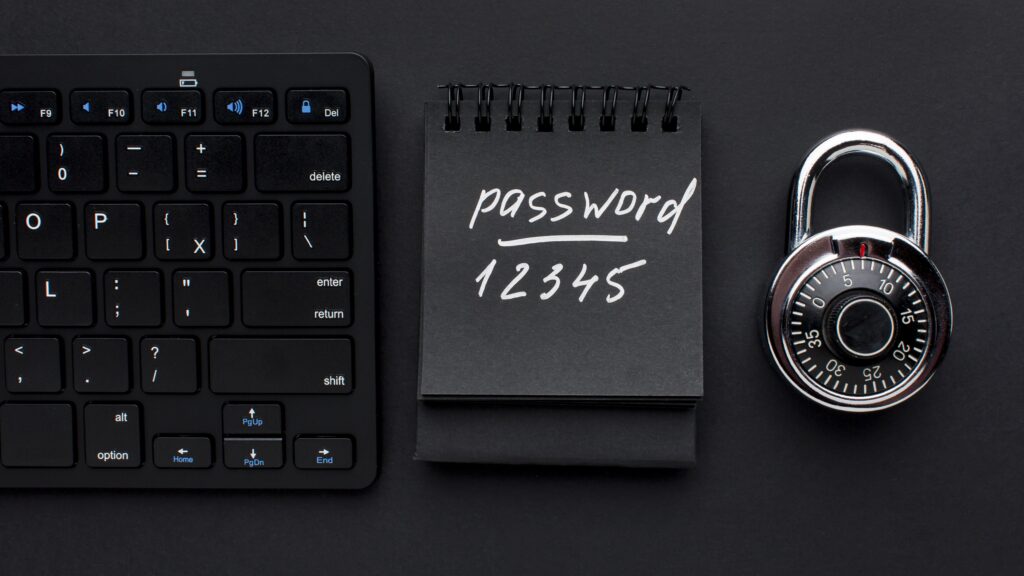
Security research shows that short, simple passwords made of only common words or patterns (like password, 123456, qwerty) can be cracked in less than one second with modern tools.
So even if scammers never guessed “LOUVRE” by hand, any automated tool testing words and names could hit it extremely fast.
But the real problem is not just the password itself. The real problem is the attitude:
- “It’s good enough.”
- “No one will guess it.”
- “We’ve always done it this way, what can go wrong?”
That’s what “taking digital safety for granted” looks like.
Futureproof keeps your data safer with simple guidance to set a strong password, turn on 2-step verification, and lock down your account.
Check my safetyWhy This Story Matters For You
You may think:
“I don’t run the world’s most famous museum. I just have email, social media, banking, and some shopping accounts.”
But the pattern is the same:
- Short, simple, easy passwords
- Same password used for many accounts
- “It’s fine, nothing will happen to me”
The truth is, if a big museum can make this mistake, regular people can too. And criminals don’t care if you’re a museum or a regular person — they go after whatever is easy.
But the good news is that you don’t need to be a tech expert to fix this. You just need simple rules and small habits.
What To Do Now: Simple Step-by-Step Guide
You can use this case study as a “mini checklist” to make your digital life safer and avoid costly mistakes.
Step 1 — Find your “Louvre” passwords
Think about your important accounts:
- Email
- Banking/cards
- Shopping (Amazon, etc.)
- Social media (Facebook, etc.)
Ask yourself:
- Do I use any password that is:
- a personally related name (of a place, pet, partner, team)?
- a simple pattern (123456, qwerty, birth year)?
- a personally related name (of a place, pet, partner, team)?
- Do I reuse the same password on more than one account?
If yes, those are your “Louvre” passwords — too easy, too risky.
To make it easier, pick one account to fix first (for example, email or bank). You don’t have to fix everything in one day.
Step 2 — One Password = One Account
This is the most important step. If you reuse the same password for everything, one leak = many broken doors.
But if you give each important account its own password, one leak = one door, not the whole house.
Good way to start:
- Give email its own password.
- Give banking/finance its own password.
- Then, one by one, change other important accounts.
You can write them in a paper notebook you keep safe, and get back to them whenever you need.
Step 3 — Add a Second Lock (Two-Step Verification)
Even with a strong password, adding a second lock is one of the best things you can do.
Here’s how two-step verification (also called two-factor authentication) works:
- You log in with your password.
- Then you enter a code sent to your phone or app.
So even if someone steals your password, they still can’t get in without that code.
Turn this on for your email, banking, social media, and any account that offers it.
Step 4 — Let Futureproof Help You Stay Ahead
We can’t stop a museum from using “LOUVRE” as a password. But it’s our mission to help you avoid similar mistakes.
Inside your account, you’ll find:
- Weekly summaries that show if your email and passwords appeared in known data leaks
- Step-by-step guides to create strong, easy-to-remember passwords
- Detailed guidance on how to set up Two-Step Verification
- Simple tips to avoid the most common password traps
With Futureproof, you’ll switch to strong, scam-proof passwords — so scammers hit a wall, not your life. Try it today for year-round safety.
The Louvre Was a Wake-Up Call — Don’t Wait for Yours
The Louvre is a symbol of art and culture — but now, it’s a symbol of what happens when you ignore digital safety.
They did a lot to protect what was inside the building. But they forgot to protect the login that controlled the cameras.
Many of us do the same thing in everyday life: we lock our doors at night. We hide our wallet. We shred paper bills. But we leave our digital “front door” guarded by passwords like 123456 or one word we use everywhere.
The real lesson is simple: Your password is your lock. If the lock is weak, nothing else matters.
Don’t repeat their mistake. Build strong locks online — one strong password per account — so even the smartest scammer hits a closed door.

At Futureproof, Kevin explains digital safety in simple words, with clear tips and zero fluff. He holds a degree in information technology and studies fraud trends to keep his tips up-to-date.
In his free time, Kevin plays with his cat, enjoys board-game nights, and hunts for New York’s best cinnamon rolls.