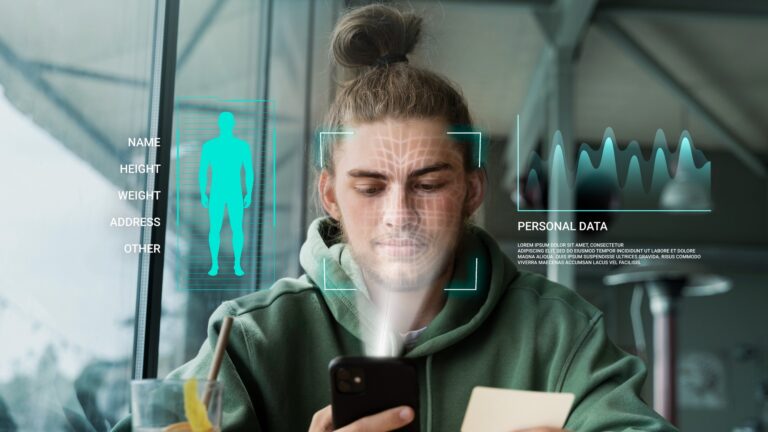
Meet Margaret. She’s 45, and she always thought she was being careful online. Margaret only shopped at familiar stores, never clicked suspicious links, and always logged out of her bank account.
But last month, she discovered someone had been using her personal information to open credit cards. How did this happen when she was so cautious?
The truth is, scammers don’t just target obvious mistakes. They use the digital footprint you leave behind through daily activities.
Your footprint is like digital breadcrumbs you unknowingly drop as you move through the internet, and scammers know exactly how to follow that trail.
The good news? Once you see and track online habits clearly, protecting yourself will come easily.
Table of Contents
What Makes Your Digital Footprint Grow Without You Noticing
Your digital footprint grows every time you use technology, even during routine activities. Think of it like footprints in sand — each step leaves a mark, and over time, those marks create a clear path others can follow.
Every app download, every “yes” to location services, and every loyalty card swipe adds another layer to your digital profile.
The bigger this profile is, the more attractive you become to scammers who piece together information from multiple sources.
Habit 1: Using Store Loyalty Cards and Discount Apps
Store loyalty cards feel like free money — scan your card, save a few dollars, earn points for future purchases. But here’s what most people don’t realize: every swipe builds a detailed picture of your daily routine.
When you use your grocery store card, you’re not just saving money on milk and bread. The store now knows you shop on Tuesday mornings, you buy medication for headache, and you purchase birthday cards in December.
Combined with your credit card information, this creates a complete map of your habits.
Why scammers love this information: They use purchase patterns to craft believable scam messages. If they know you regularly buy diabetes supplies, they might call pretending to be from your pharmacy with a “special offer.”
They sound legitimate because they have real details about your life.
Your simple protection plan:
- Use cash for sensitive purchases like medications or personal items
- Sign up for loyalty programs with a secondary email address
- Check store privacy policies before joining reward programs
- Decide if the savings are worth sharing your shopping patterns
Habit 2: Accepting All Website Cookies and Notifications
Those notifications asking about cookies aren’t just annoying interruptions — they’re requests to track your online behavior.
Most people click “Accept All” to make the message disappear quickly, not realizing they’ve just given permission to share their browsing habits with dozens of companies.
Cookies track which websites you visit, how long you stay, what you click on, and even items you looked at but didn’t buy. This information gets sold and shared between companies, creating a detailed profile of your interests and online behavior.
Why this matters for your safety: Scammers buy this tracking data to create targeted attacks. If the data shows you frequently visit health websites, you might receive fake emails about “breakthrough treatments.” If you browse travel sites, expect fake “vacation winner” calls.
Your simple protection plan:
- Always click “Manage Preferences” instead of “Accept All”
- Only allow essential cookies for websites you trust
- Clear your browser cookies weekly (your browser’s help section explains how)
- Use private browsing mode for sensitive searches
What to watch for: Be extra careful if you start receiving emails or calls that seem to know your specific interests, especially topics you’ve only searched for online.
Habit 3: Oversharing Location Information
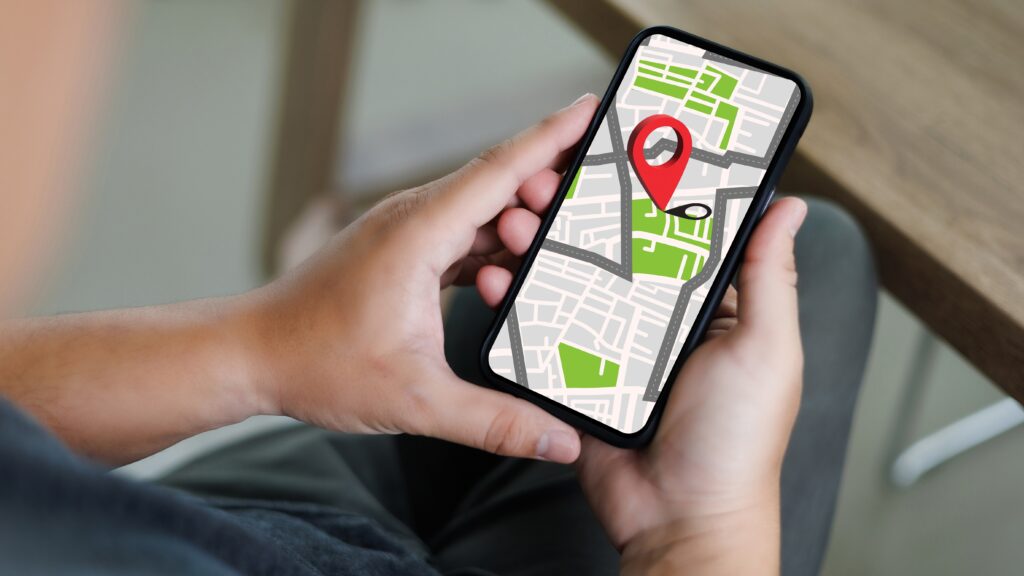
Your smartphone constantly shares where you are, creating a detailed map of your daily movements. Apps request location access for features like weather updates or finding nearby restaurants, but they often continue tracking long after you’ve closed the app.
Location data reveals patterns that put your security at risk. It shows when you’re away from home, which medical offices you visit, where you shop, and even which friends and family members you see regularly.
The hidden danger: Criminals use location patterns to time break-ins when they know you’re away, or they use your regular locations to make scam calls sound more believable.
They might call saying there’s a problem with your card at a store you visit weekly, making the call seem urgent and real.
Your simple protection plan:
- Review location permissions monthly in your phone settings
- Only allow location access while using apps, never “always”
- Turn off location history in your Google or Apple account settings
- Avoid posting real-time locations on social media
Step-by-step check: Go to your phone’s Settings > Privacy > Location Services (iPhone) or Settings > Location > App permissions (Android).
You’ll likely find dozens of apps with location access you forgot you granted.
Take control of your privacy with our Browser Extension. It lets you easily block sites that track your location, want to send notifications, or use your microphone and camera.
Habit 4: Using the Same Passwords Everywhere
Password reuse is like using the same key for your house, car, and office — if someone gets that key, they can access everything.
Most people use variations of the same password because remembering multiple complex passwords feels impossible.
When scammers get your password from one data leak, they immediately try that password on banking sites, email accounts, and shopping platforms.
This technique, called credential stuffing, succeeds about 5% of the time — which means millions of accounts get compromised this way.
Why this creates a bigger digital footprint: Each reused password connects your accounts, allowing scammers to piece together your complete online identity.
Your shopping account password gets them into your email, which gives them access to reset other passwords, creating a domino effect.
Your simple protection plan:
- Create unique passwords for banking, email, and shopping accounts first
- Enable two-factor authentication on all important accounts
- Change passwords immediately if you receive data leak notifications from Futureproof
Create strong passwords easily:
- Use at least 3 simple hyphenated words, each starting with a capital letter (e.g., Home-Dog-Work).
- Do not use names, surnames, or locations related to you personally.
- Add at least 4 numbers (e.g., Home-Dog-Work-1918)
Note: Remember to change your password every 6 months to keep your information secure and avoid potential threats.
Habit 5: Ignoring App Updates
Those persistent app update notifications aren’t just about new features — they often contain critical security fixes. Delaying updates leaves your apps vulnerable to known security gaps that scammers actively use.
Old app versions are like leaving your front door unlocked. Even if the app worked fine yesterday, outdated security can be used by criminals who work with these weaknesses specifically.
Why it matters: Outdated apps with weak security become entry points for accessing other information on your device. A compromised health app might access your photos, contacts, or even banking information from other apps.
Your simple protection plan:
- Turn on automatic updates for all apps
- Update your phone’s operating system within one week of release
- Delete apps you no longer use regularly
- Restart your phone weekly to complete pending updates
Quick security check: Look at your update section in settings. If you see more than 3-4 apps needing updates, turn on automatic updates right away.

How These Habits Work Together Against You
These five habits don’t just create individual risks — they complement each other.
Your loyalty card data shows when you’re away from home, your location data confirms it, your reused passwords give access to multiple accounts, and your outdated apps provide the entry point for scammers to access everything.
And the worst part? Scammers don’t need to be tech experts to use this information. They buy combined data packages that include shopping habits, location patterns, and known passwords.
This gives them just enough information to impersonate real businesses or create urgency around familiar places and activities.
Key Takeaway: Small Changes Shrink Your Risk
Your digital footprint will continue growing — that’s unavoidable in our connected world. But you can control what information you share and how you share it.
Small changes in everyday habits make you safer online.
Start with the habit that feels easiest for you. Maybe that’s turning on automatic updates, or replacing your banking password with a strong one. That’s how one small step builds confidence for your future.
Remember: staying safe online isn’t about being a tech expert. It’s about seeing patterns and making right choices about your digital privacy. You have more control than you think.

At Futureproof, Kevin makes online safety feel human with clear steps, real examples, and zero fluff. He holds a degree in information technology and studies fraud trends to keep his tips up-to-date.
In his free time, Kevin plays with his cat, enjoys board-game nights, and hunts for New York’s best cinnamon rolls.